Open editor
Open source · No install · No upload

Edit PDFs online, without uploading them

PdfCraft is an open-source PDF workbench written in Rust, running here in a browser tab. Reorder and rotate pages, merge and split files, fill and sign forms, add comments. Your documents never leave your computer.

PdfCraft web build v0.6.0 · released Oct 11, 2026 · loads once, then opens from cache

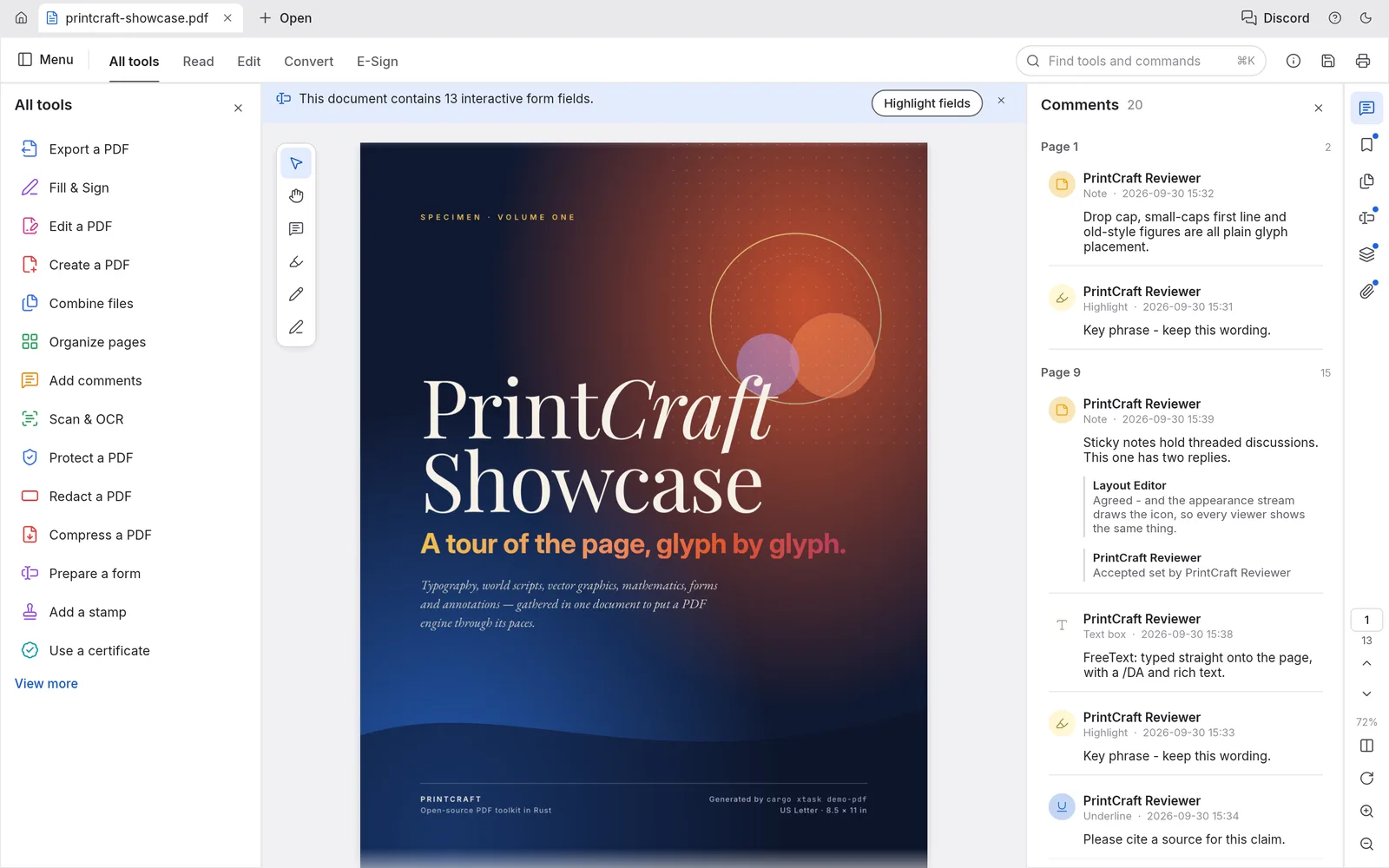
PdfCraft with a 13-page showcase PDF open, the All tools panel on the left and threaded comments on the right
A 13-page showcase PDF with the All tools panel and threaded comments. Screenshot from the PdfCraft project.
Private by designEvery page is processed on your device
0 crashesAcross the 983 files of the pdf.js test corpus
Real PDF securityPasswords from 40-bit RC4 to AES-256
17 languagesInterface translated, switch in Preferences
In the editor

The PDF jobs people search for, done on your own machine

Most online PDF tools upload your file to a server and hand it back. PdfCraft compiles a full PDF engine to WebAssembly, so the same work happens in your browser. Press Ctrl/⌘+K to find any tool by name.

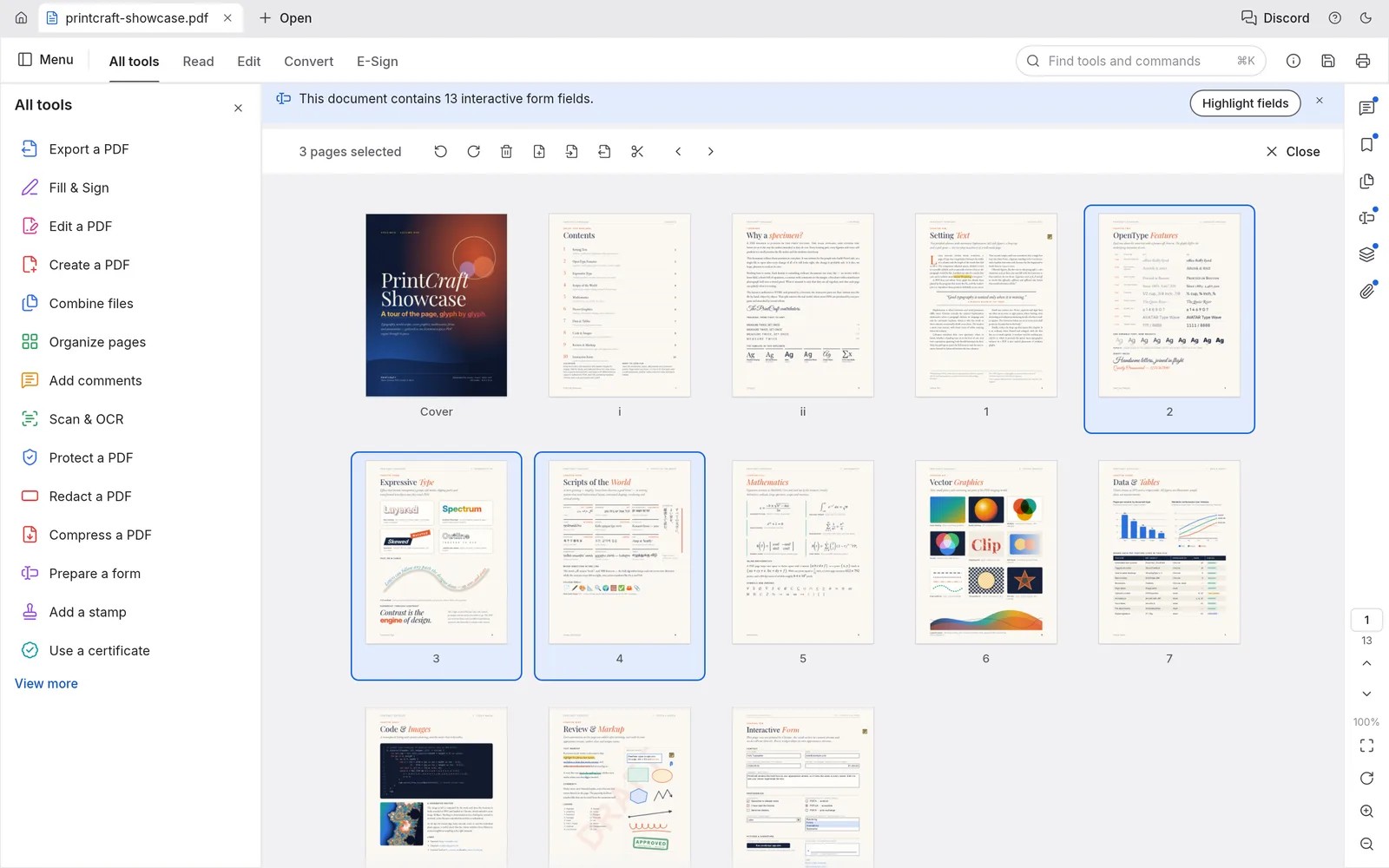
The Organize pages grid with a document’s pages as thumbnails, three of them selected, and the page toolbar above

Organize pages like cards on a table

Organize pages shows every page at once. Select with click, Ctrl/⌘-click or Shift-click, then rotate, delete, duplicate, insert blank pages or pages from another file, and move them earlier or later. Every change can be undone before you save.

Screenshot from the PdfCraft project
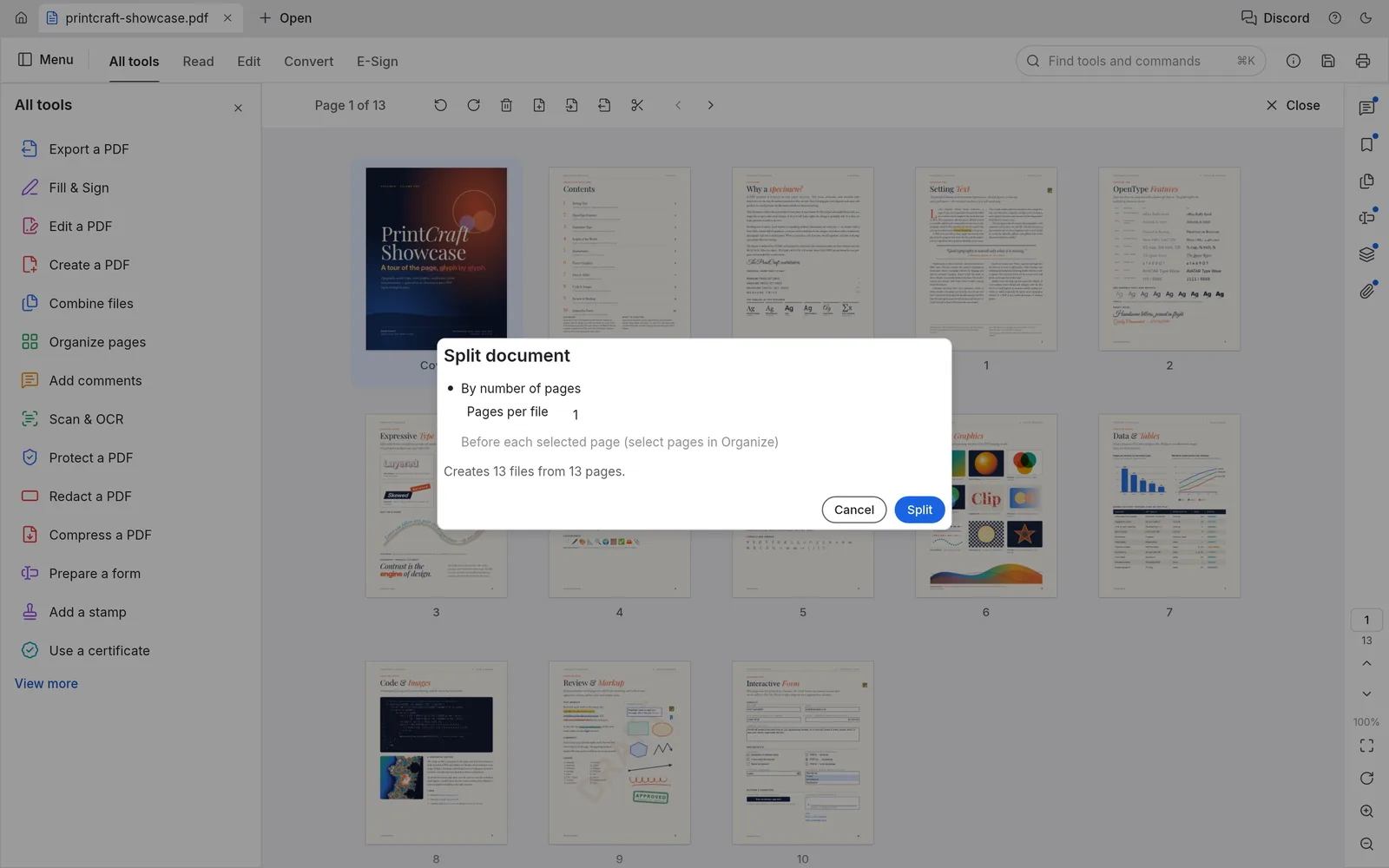
The Split document dialog set to one page per file, reporting that it creates 13 files from 13 pages

Merge, split and extract

Combine files merges any number of PDFs, each with its own bookmark and its bookmarks nested underneath. Extract copies chosen pages into a new document; Split cuts every n pages or before the pages you pick. Links, form fields, layers and attachments come along.

Screenshot from the PdfCraft project
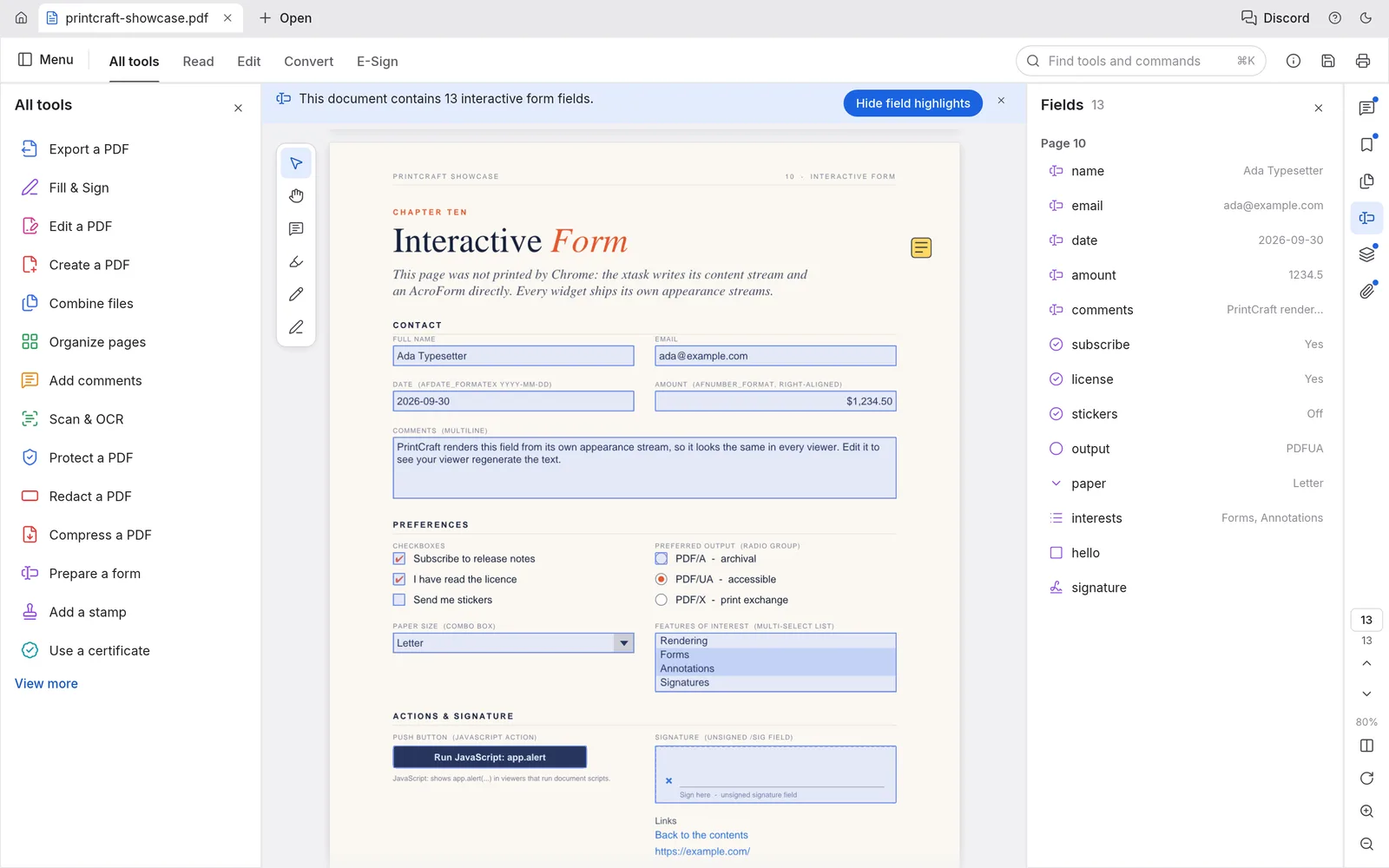
An interactive form with highlighted text fields, checkboxes, radio buttons, a list and a signature field, and the Fields panel listing 13 fields

Fill forms, then sign

Interactive fields are highlighted and listed with their values. For a flat form, Fill & Sign types text onto the page, adds checkmarks, crosses and today’s date, and places your signature or initials: drawn, typed or from an image.

Screenshot from the PdfCraft project
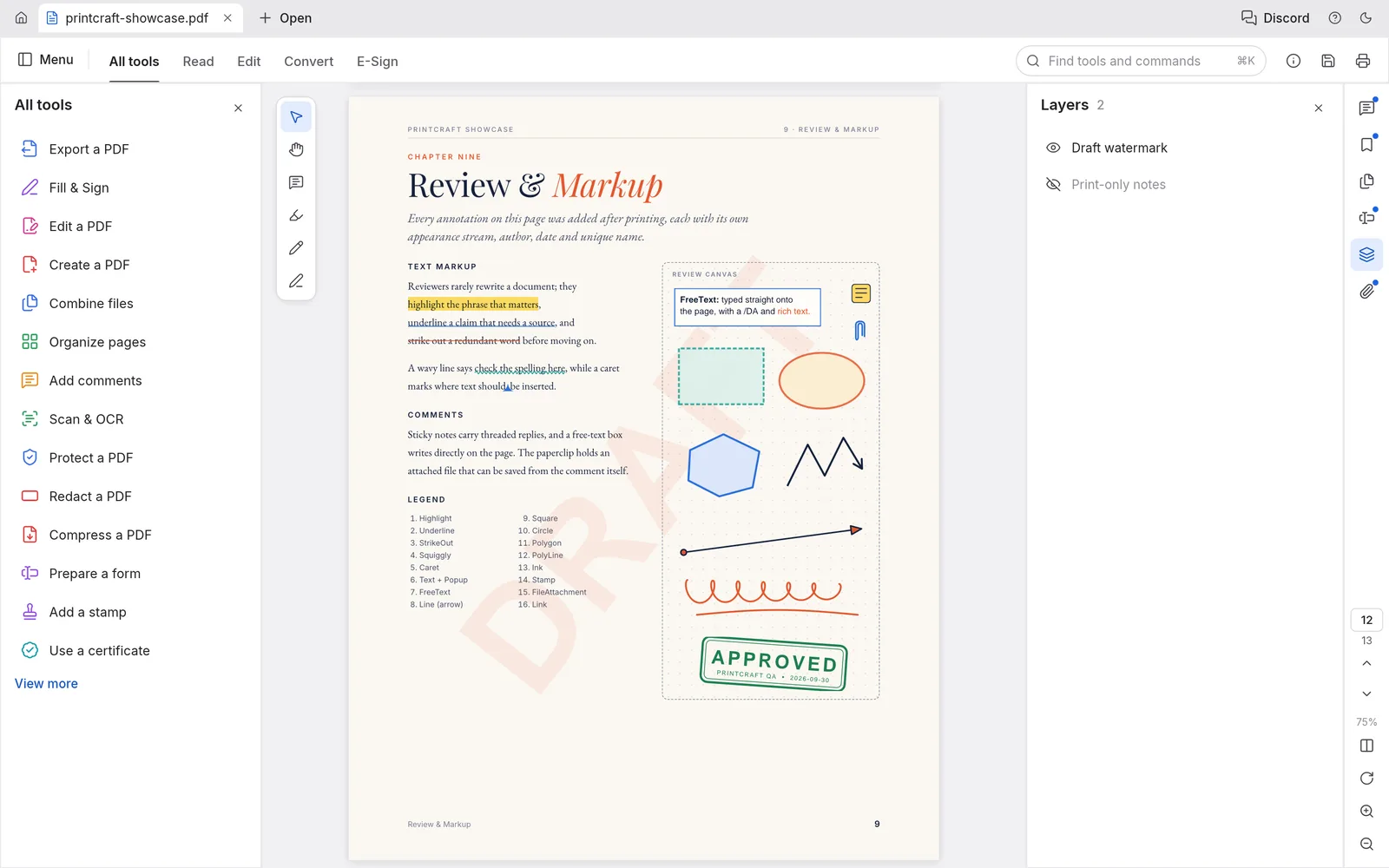
A review page with highlights, shapes, ink and an APPROVED stamp under a DRAFT watermark, with the Layers panel open

Comment and review

Sticky notes, highlights, underlines, text boxes, shapes, freehand ink, callouts and stamps, shown as threaded conversations in the Comments panel. Layers in the PDF switch on and off and the page redraws at once.

Screenshot from the PdfCraft project
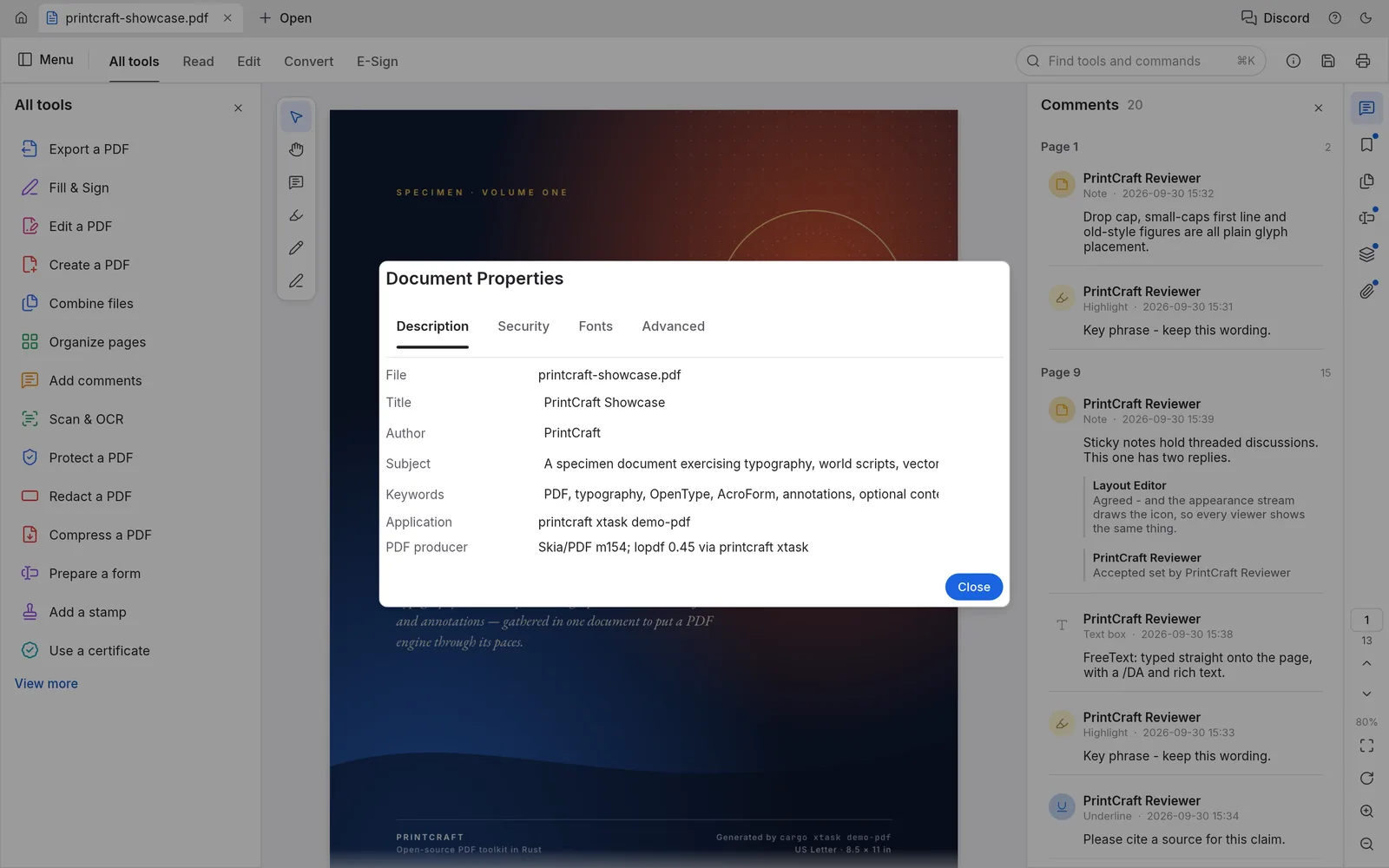
The Document Properties dialog on its Description tab, with editable title, author, subject and keywords

Protected files, handled properly

PdfCraft implements the PDF standard security handler, from 40-bit RC4 to AES-256, with user and owner passwords. Restricted documents show a notice and their permissions are honoured. Protect a PDF with your own password, edit its title and author, or redact text.

Screenshot from the PdfCraft project
Chat with PDF · bring your own key

Ask your PDF questions with the model you already pay for

Open the Chat with PDF panel next to the document, paste an OpenAI, Google Gemini or OpenRouter key, and summarize, ask questions, translate or pull out tables. Every time you save in PdfCraft, the panel picks up the new copy.

Requests go from your browser to the provider. We never see your key, your document or the answers, and we add no markup.

How Chat with PDF works
  • SummarizeAn overview and the main points, with page numbers
  • Ask anythingFollow-up questions keep the conversation’s context
  • Extract and translateTables and key fields as Markdown, or the whole text in another language
This site

What pdfcraft.run adds

The editor is the official web build, byte for byte. Around it we add a few things the bare build doesn’t have.

Always the latest release

Each new PdfCraft release is checked against its published SHA-256 checksum and deployed here. You are on v0.6.0.

Chat with PDF on your own key

Summaries, answers, tables and translations from OpenAI, Gemini or OpenRouter models, straight from the browser.

A page that keeps up with your saves

File › Save downloads your PDF as usual, and the top bar warns you while there are unsaved changes.

Nothing to sign up for

No account, no watermark, no upload. Close the tab and nothing of yours is left on a server.

Getting started

Three steps

  1. Open the editor. The first visit downloads the app, about 15 MB compressed; after that it opens from your browser’s cache.
  2. Open a file. Drag a PDF onto the window, or click Open. Images (PNG, JPEG, TIFF, GIF, BMP, JPEG 2000) and plain text files are converted to PDF as they open.
  3. Save. File › Save (Ctrl/⌘+S) downloads the edited PDF. Password-protected documents stay encrypted.

PdfCraft is in alpha. Expect rough edges, keep the original file, and save before closing the tab: the browser version has no autosave.

FAQ

Questions

Is PdfCraft Online free?

Yes. The editor is free and open source, there is no account, no watermark and no page or file limit set by us. The optional Chat with PDF panel uses your own AI provider key, so any AI usage is billed by your provider, not by us.

Are my PDFs uploaded anywhere?

No. PdfCraft runs inside your browser with WebAssembly. Opening, editing and saving happen on your device: files open from your disk and save back as downloads. The only exception is the Chat with PDF panel, which sends the PDF you pick straight to the AI provider whose key you entered.

Can I edit the existing text in a PDF?

Partly. PdfCraft has an Edit text & images tool, but its developers list reliable editing of existing text as still thin, especially for Chinese, Japanese, Korean and right-to-left scripts. Adding text, comments, form entries and Fill & Sign text works well today.

Does it save my work automatically?

Not in the browser. The web build has no autosave or crash recovery, so save with File › Save (Ctrl/⌘+S), which downloads the PDF, before you close the tab. The browser asks before you leave a page with unsaved changes. The desktop app autosaves every minute.

Can I print from it?

In the browser, Print saves a print-ready PDF copy that you then print from your usual PDF viewer. Printing straight to a printer works in the macOS, Linux and FreeBSD desktop apps.

Can it add a certificate-based digital signature?

Not in the web build. Fill & Sign places a visible drawn, typed or image signature, which is what most forms ask for. Digital signatures with a certificate (PKCS #12) need the desktop app.

Which browsers work?

A current Chrome, Edge, Firefox or Safari on a desktop or laptop. The interface is built for a mouse and a large screen; it runs on tablets and phones, but panels are cramped.

Is it a replacement for Adobe Acrobat?

Not yet, and its developers say so. PdfCraft is an independent, clean-room project in alpha. By their own count it covers about 55% of everyday Acrobat work (viewing, commenting, filling and signing forms, organizing pages); Office conversion and OCR beyond Latin script are still weak.
Open a PDF and start editing

Free, private, and already loaded on your next visit.

Open the editor